Home /Bluetooth Label Maker D30 Portable Thermal Mini Printer White




Bluetooth Label Maker D30 Portable Thermal Mini Printer White
(5)
$12.23
Availability:
SKU: 095712043294
Specifications
Media Size Maximum:15Mm
Controller Type:App
Brand:Phomemo
Memory Storage Capacity:64.0
Model Name:D30
Model Series:D30
Print Media Type:Labels
Resolution:203 X 203 Dpi
Weight:0.53 Pounds
Wireless Communication Technology:Bluetooth
Connectivity Technology:Bluetooth
Max Print Resolution Black White:203 Dpi
Printer Output:Monochrome
Hardware Interface:Usb
Printer Technology:Thermal
Package Dimensions LxWxH:6.14x3.46x1.61 Inches
ISBN:0792332430401
Color:White
Duplex:Simplex
Type:Does not apply
Max Copy Resolution Black White:203 Dpi
EAN:0792332430401
Number Of Trays:1
Max Input Sheet Capacity:52
Paper Size:15 Millimeters
Wattage:1200.0
Total Usb Ports:1
Control Method:Application
Item Package Quantity:1
Style:1Pack
Model Number:D30-White-Gm
Additional Printer Functions:Print Only
Printer Ink Type:No Ink
Assembly Instructions:Included (User Manual)
UPC:792332430401
Scanner Type:Portable
Part Number:D30-White-Gm
Compatible Devices:Smartphones, Tablets, Pad
gtin13:0792332430401
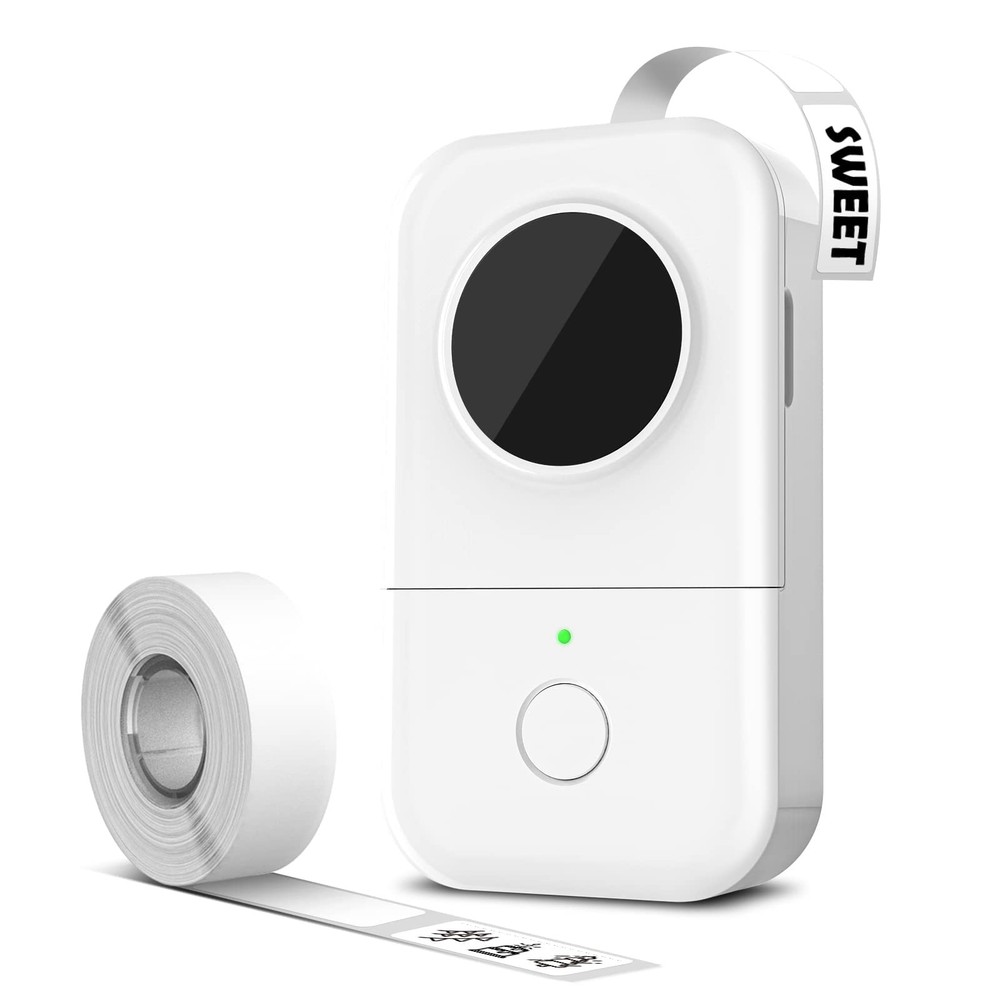
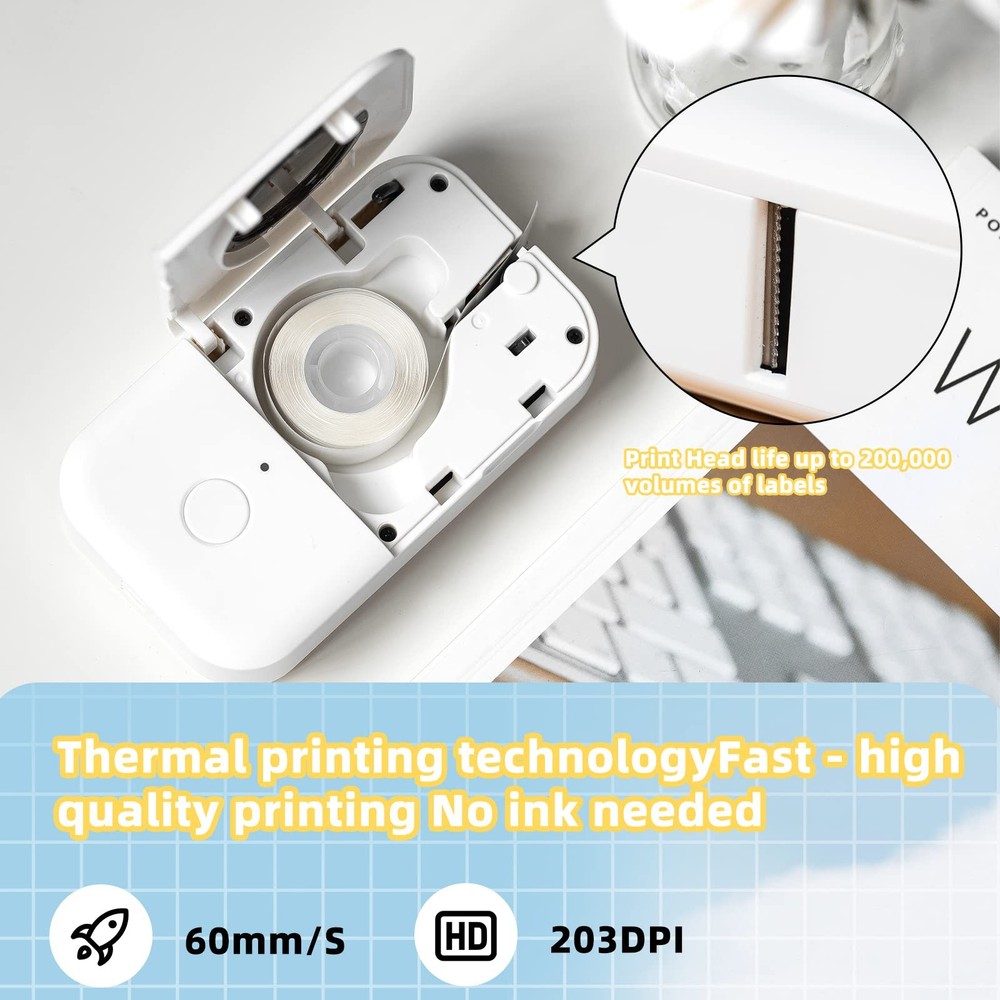
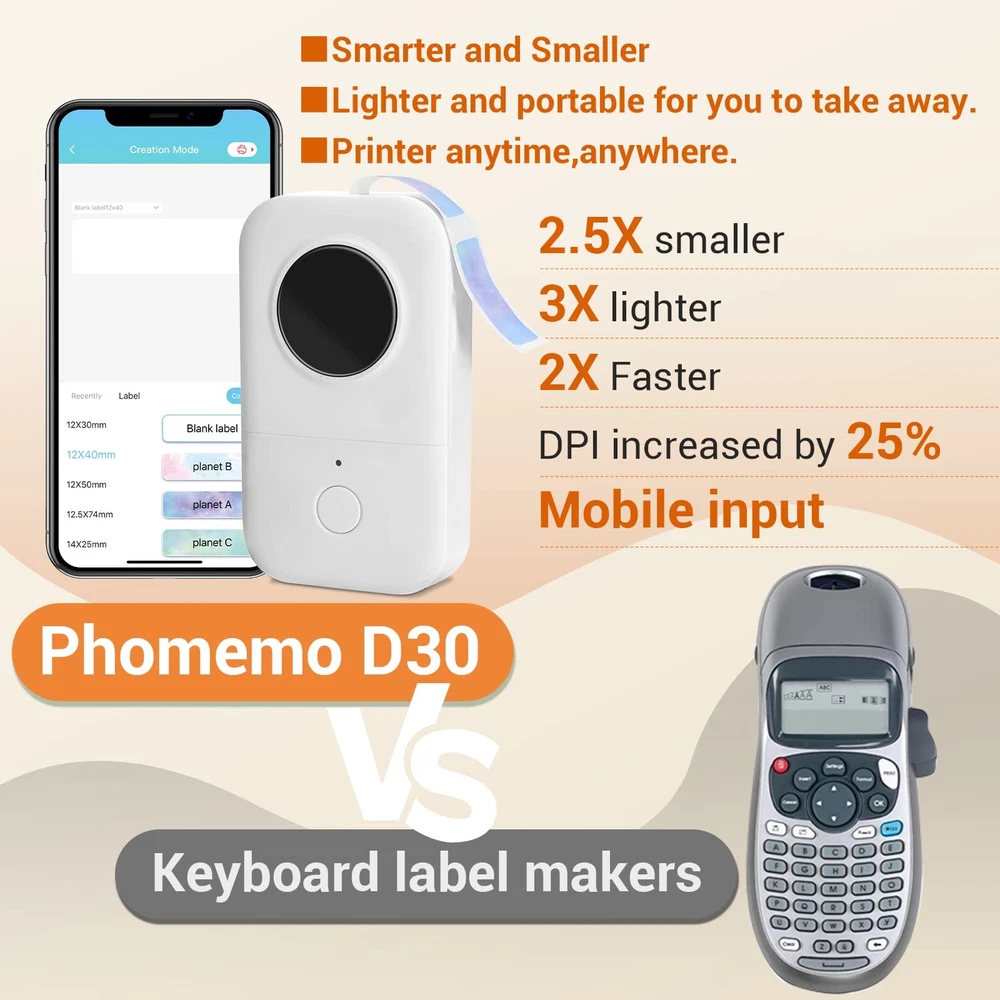
D30 Mini Bluetooth Thermal Label Maker D30 Label Maker is a multi-purpose label machine.This mini label printer has a wide range of uses and involves many industries: Clothing, Food, Telecommunications, Jewelry, School, Home Use and so on. Consumable specifications: maximum width 15mm. Bluetooth Label Printer with various App templates, mobile editing, you can choose the template according to your needs, and can set up the new size template. Adjustable Paper Holder The paper holder prevents paper jams and deviations. A wide range of consumables are available. Please Make sure the print side is facing down and the paper roll is installed in the right side. Feed Button Catch the label and feed it into the printer. Gently press and hold the feed button, then the D30 will determine the label size , gap size and other properties. Thermal Technology Ink free printing. Works with D30 thermal direct paper. Specifications: Material: ABS + Metal Print Media: Thermal Paper Print Type: Ink free printing Paper Capacity specification: 5-15mm Package Weight: 516 g Interface: 5V, micro USB Connection: Bluetooth 4.0 Support System: for iOS 8.0 + Android 4.0 or above Resolution: 203dpi Package List: D30 Label Printer*1 USB Cable*1 Thermal Printing Paper (Inside the Printer)*1 User Manual*1 Packing Box*1 2024 Upgrade - Half the Weight and Size of Traditional Label Makers. Equipped with German Thermal Printing Heads, DPI Increased by 25%, D30 Label Maker with Tape Providing Exceptional Printing Clarity, Smoothness, and Faster Processing Speeds. Supports Continuous and Fixed-Length Labels. Cost-Saving - Direct Thermal Technology with No BPA - The D30 mini Label Printer Uses Inkless Printing Technology, Eliminating the Need for Ink, Toner, or Ribbon. High-Quality Thermal Label Tape is Available at Lower Costs than Most Label Printers. Convenience and Creativity - Choose from Various Pre-Designed Templates Including 1000 Symbols, 60 Frames, and Various Fonts for Easy and Quick Label Creation. Easily Create Various Icons, Texts, Tables, Symbols, Logos, Barcodes, QR codes, Images, Time, Insert Excel, Scan, OCR through the Application for Fun and Effortless Label Making. Wireless and Portable - Mini Wireless Bluetooth Connection to the Bluetooth Label Printer for Convenient and Quick Printing, Easy Label Creation From Smart Mobile Devices. Built-in Durable Rechargeable Battery for Long Hours of Work, Slips into Pocket for Easy Carrying. Versatile Applications - The D30 mini Label Maker is Widely Used for Organizing Household Items - Storage, Food Date Marking, Cosmetic Item Categorization, Can Labels; School and Office Document Sorting, Cable Identification, Personal Item Identification, Name Labels; Small Businesses - Price Tags, Jewelry Labels, and More. Tips for Using app--Install Print master App from Apple & Google Play->Open the App and Turn on D printer->Choose printer model Dfrom menu and then click “unconnected” button at the top of the screen-> Match and connect Bluetooth via the app.
You May Also Like