Home /M220 3-Inch Bluetooth Thermal Barcode Label Printer for Business



M220 3-Inch Bluetooth Thermal Barcode Label Printer for Business
(5)
$41.18
Availability:
SKU: 244096485951
Specifications
Brand:NoBrand
Type:Printers
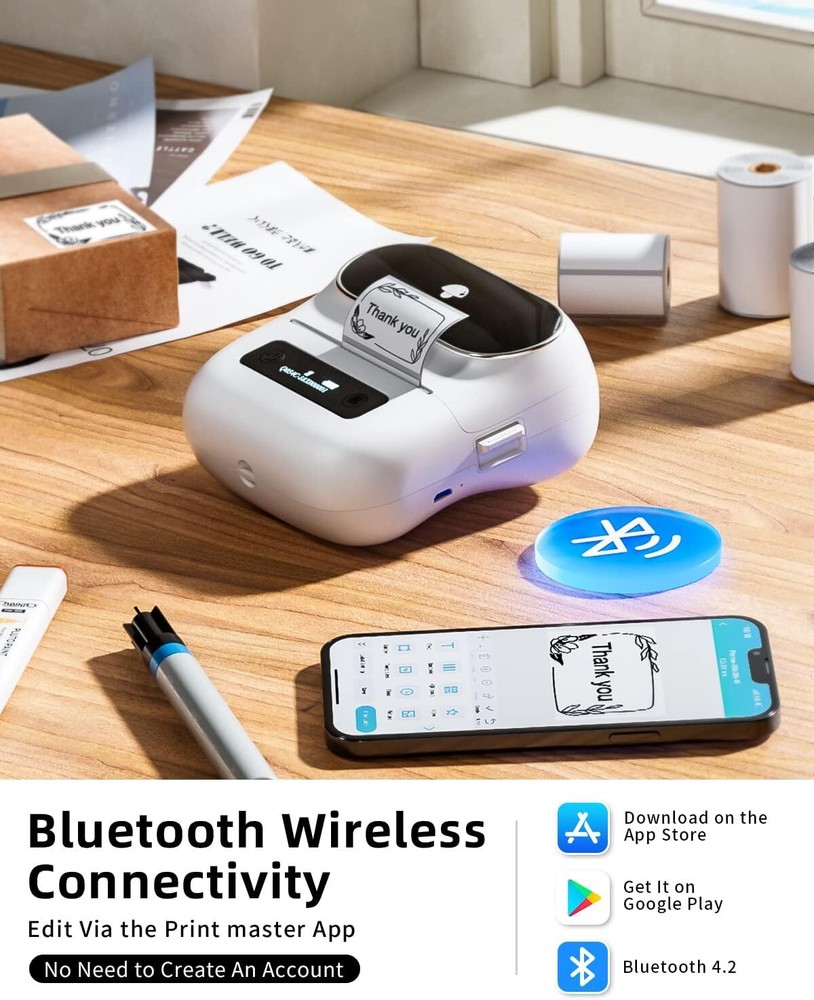
About this item Portable Label Makers - The label maker supports printing 0.78''-3.14'' width labels, making it an ideal small mobile label printer for barcodes, addresses, office supplies, and more. It is easy to carry in bags for printing anytime and anywhere. (Note: Only supports printing 0.78''-3.14'' width labels; does not support 4 x 6 shipping labels.) Thermal Label Printer - This label maker uses thermal printing technology that requires only thermal paper to produce clear, clean, and inkless prints. Label Maker Machine with Tape - Comes with 3 rolls of labels (1.97’’ x 1.18’’, 1.97’’ x 3.14’’, and 2.76’’ x 3.14’’), suitable for everyday labeling needs such as marking children’s supplies, personal labels, school supplies, and small business stickers. Bluetooth Wireless Barcode Printer - Equipped with a built-in 2200mAh rechargeable battery and stable Bluetooth technology, it can print continuously for 4 hours after a full charge. Compatible with Android, iOS phones/tablets, Windows 8/10/11, and MacOS. (Note: Cannot connect to PC or laptop via Bluetooth; USB connection required for computer use.) Powerful App and Label Maker - Comes with an advanced editing app featuring numerous templates, icons, borders, fonts, barcode, QR code, image support, and scanning capabilities for label customization. Connects easily with the label maker for a seamless printing experience. Phone and Tablet Start Printing - Step 1: Download the 'Print Master' app. Step 2: Turn on the label maker and your device’s Bluetooth. Step 3: Select the printer in the app, choose label size, edit content, and print. Laptop/PC Starts Printing - Step 1: Check OS compatibility, then download and install the correct driver and 'Labelife' app from the official website. Step 2: Connect the label maker to the computer via USB. Step 3: Select label size, edit content, and print. Product dimensions: 6.3 x 5.71 x 3.46 inches
You May Also Like