Home /Portable E1000 Label Maker Machine with P-Touch TZe-231 Tape


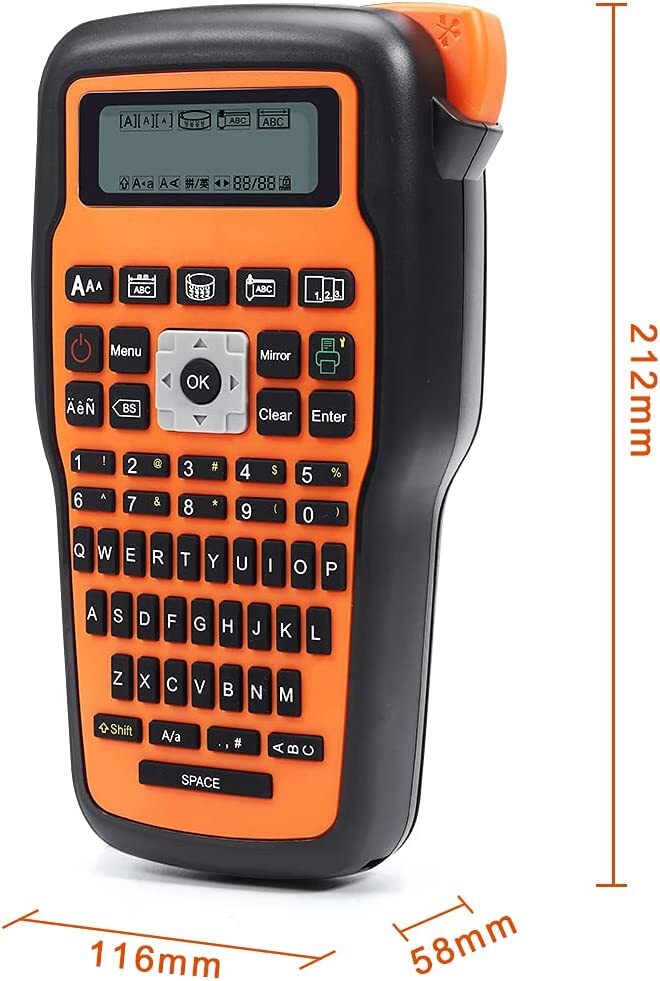


Portable E1000 Label Maker Machine with P-Touch TZe-231 Tape
(8)
$23.75
Availability:
SKU: 343038041217
Specifications
Maximum Resolution:300 x 300 DPI
Print Speed:10-19 ppm
Country/Region of Manufacture:China
Output Type:Black & White
Connectivity:Wireless
Weight:1.05 pounds
Paper feature:Water resistant
Compatible with:Brother P-Touch Printer Tapes
Memory:16 MB
Product Line:Handheld
Dimension:4.57"D x 8.35"W x 2.28"H
Brand:Dymo
UPC:0071701214553
MPN:21455
Model:Dymo LetraTag 100H Plus
EAN:0071701214553
Label width range:3.5/6/9/12mm
Print Technology:Thermal
Series:Dymo Letratag
Type:Phomemo E1000 Printer
gtin13:0071701214553
Product Description Print clearly and Manual cut Turn on the “cutting" of the menu function, and the screen will prompt you to cut each time you finish printing, so that you can keep track of the printing status of the label at any time. Two power supply modes This E1000 label printer Powered by AC Adapter (included) or 6AAA Batteries (not included) , meet the requirement for indoor or outdoor. Efficient and Save Tape Multi-copy editing printing design of the machine, and " shift + print " to meet your requirement for the different labels or identical labels printing. Widely Application Note: 1.In order to avoid the situation that the labeling machine cannot be turned on, AC adapter and AAA batteries cannot be used at the same time. Please pay attention to the installation direction of the positive and negative poles of the battery. The wrong installation will also cause the labeler to fail to turn on. In some areas, the label machine cannot be turned on by using an AC adapter, which may be due to low voltage. You can try to use 6AAA battery to test whether it can be turned on normally. 2. To prevent the label tape from jamming, Please make sure the extend some end of tape (about 2 to 3 cm) to the outlet of labeller before printing. Do not press the cutter during printing, the label maker will prompt you to cut after each print if you choose "Cutting-ON" in Setting. Using Tips: 1.In order to avoid the situation that the labeling machine cannot be turned on, AC adapter and AAA batteries cannot be used at the same time. Please pay attention to the installation direction of the positive and negative poles of the battery. The wrong installation will also cause the labeler to fail to turn on. In some areas, the label machine cannot be turned on by using an AC adapter, which may be due to low voltage. You can try to use 6AAA battery to test whether it can be turned on normally. 2. To prevent the label tape from jamming, Please make sure the extend some end of tape (about 2 to 3 cm) to the outlet of labeller before printing. Do not press the cutter during printing, the label maker will prompt you to cut after each print if you choose "Cutting-ON" in Setting.
You May Also Like